Simple to Set Up.
Powerful from Day One.
Enter your numbers once, and this tool shows where your cash will be every week over a 52 week period, so you’re never surprised by what happens.
Find out what will happen before it happens
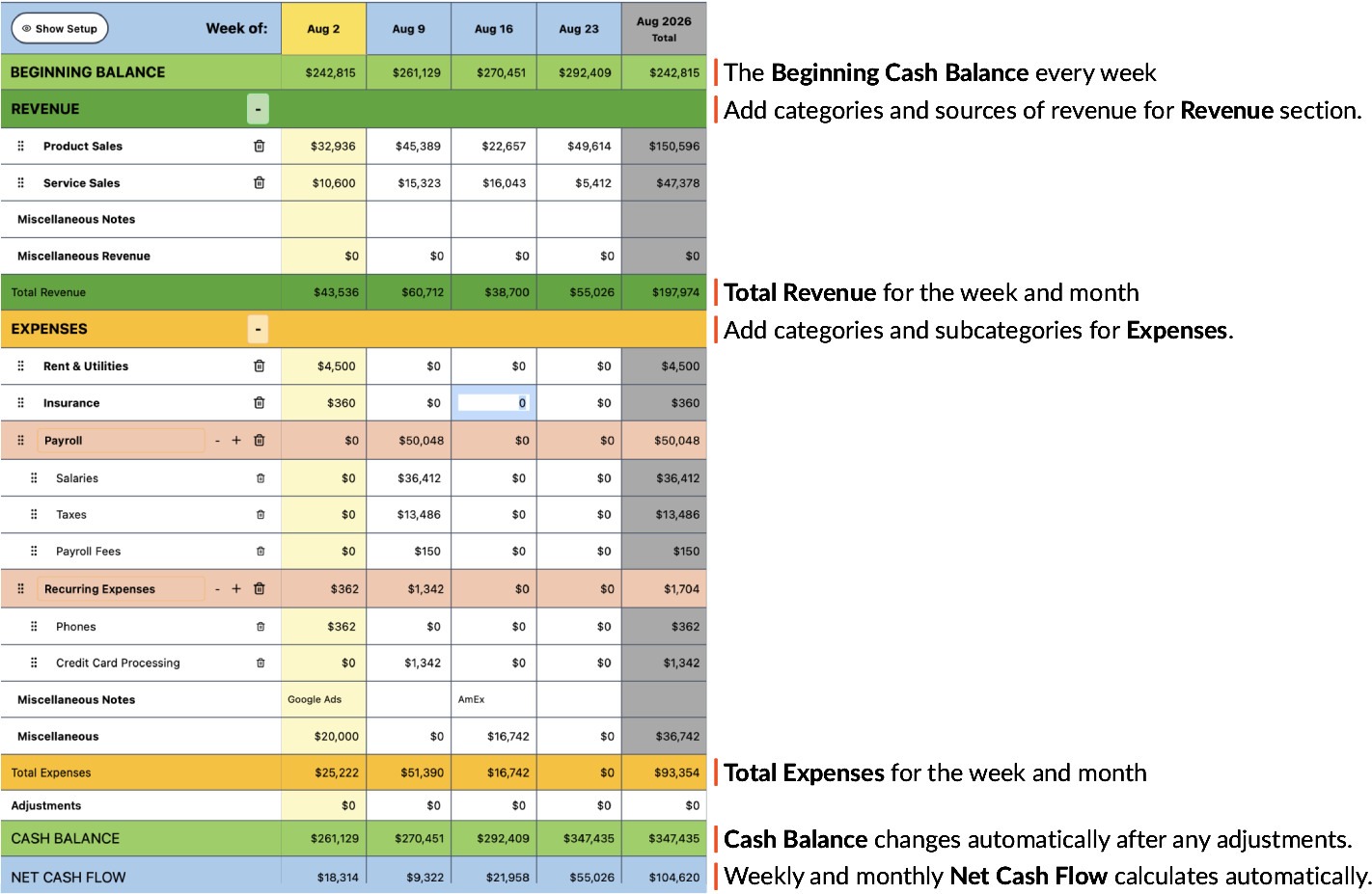
Add your actual and expected revenue and expenses, then Cash Flow Updates shows your cash balance for every week of the next 52 weeks: what it is now, and what it will be months from now.
With your cash balance provided each week, based on what you expect to happen, you can decide whether you can afford a new expense without straining your cash.
You don’t need to build any complex spreadsheets or work out any formulas—Cash Flow Updates has everything built into the spreadsheet. You simply enter your data, and the weekly cash flow results are ready to review.

How to use the Cash Flow Updates tool

Step 1
Enter your projected receipts
You already have a sense of what your receipts will be each week, by source, either from experience or from your plans for a new business. Enter your actual receipts to date and your projected receipts for each week by category through the end of the year. Your subscription includes a fresh workbook each year, pre-configured and ready to go, so you always have a rolling 12 months of projections.

Step 2
Add the expenses you’ve committed to
Rent, utilities, payroll, internet, credit cards, and anything else you pay each month should be entered as expenses. Enter each expense in the week it will be paid.

Step 3
Test a new expense before you take it on
Thinking about adding a new cost? Drop it into Cash Flow Updates and watch how it changes your cash position over the coming months. You see the full effect of the decision while it’s still just a possibility.

Step 4
Update and compare every week
At the end of every week, confirm what actually happened by checking your bank account transactions against the projections in your Cash Flow Updates spreadsheet. Every week, you will update your actual numbers against your projections, and your cash flow stays accurate as the year unfolds. You can easily spot a shortfall while you have time to act on it.
You’re never on your own:
setup help included
Not sure where to start? We have instructions to walk you through entering your data step by step, so you’re up and running quickly even if you’ve never built a forecast. If there’s something you need help with, just give us a call or message us. We can help you through any issues.
See Cash Flow Updates in Action